
Insights tab in the Risk Management module
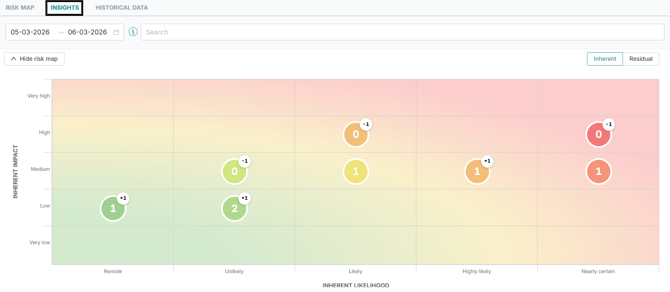
Instead of manually reviewing historical snapshots, you can now visually and structurally see how risks have changed over time - directly within the Risk Map.
The Insights tab is especially useful when:
- Performing regular risk reassessments (e.g., annually or biannually)
- Preparing documentation for audits
- Reviewing how risk exposure has evolved
- Identifying newly emerging risks
- Tracking whether mitigation efforts have changed exposure
The Insights tab combines:
- A visual comparison map (impact × likelihood)
- A structured comparison table
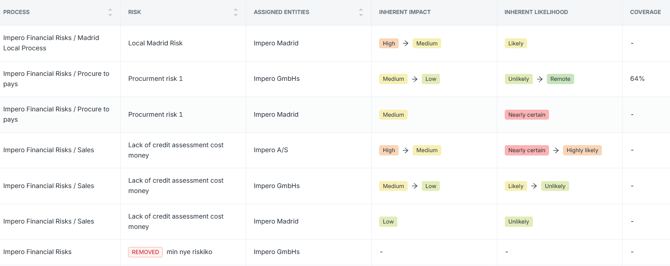
- Clear indicators for value movement, new risks, and removed risks
You can find detailed information about this new feature here: What is the Insights tab in the Risk Management module?
View previous control answer as a reviewer
Control reviewers can now view the previous control answers in the same way that control performers can. 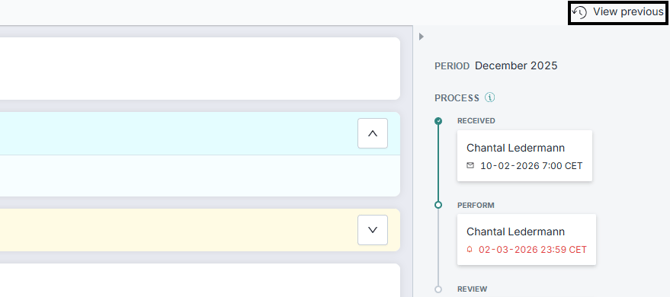
Negative filtering
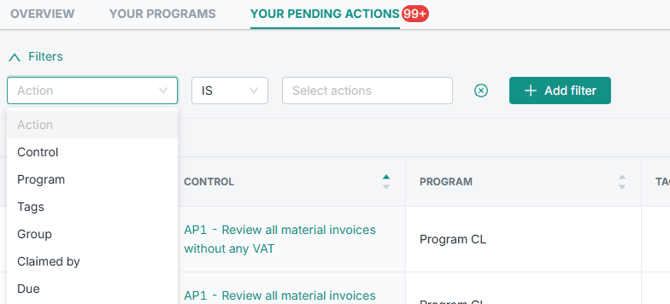
The areas “Testing activities” and “Your pending actions” now allow for negative filtering. You can either filter by terms ("IS") or exclude them from the results ("IS NOT").
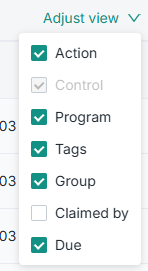
“Adjust view” functionality
We have introduced the “Adjust view” functionality to the “Your pending actions” and “Your pending tests” tables to allow you to customize how tabular data is displayed.
Risk Map configuration: Require control selection when risk response is “reduce”
Within the Risk module, for the Risk Map configuration, it is now possible to specify that when a risk response is set to “Reduce”, selecting one or more controls becomes mandatory.
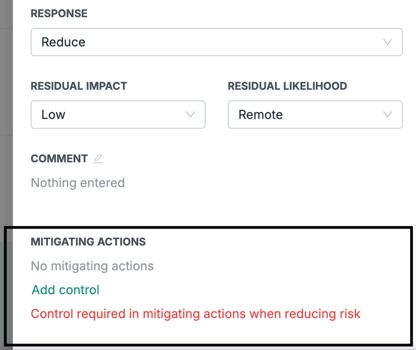
If you would like to have this setting applied, please contact your Customer Success Manager or Support.
Control Testing: Estimated sample activities
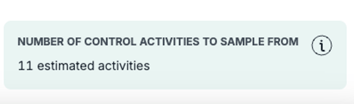
When creating (one or multiple) control tests, you now get visual cues on how many samples are available when selecting a control, period and entities to test, including future activities. The estimate only includes activities that exist at the time the test is created. This ensures the number reflects what can actually be tested and avoids misleading estimates.
Learn more
What is the Insights tab in the Risk Management module?
How can I access my previous control results?
How do I get an overview of my pending actions?