
A completed control can only be reopened in case of an error in the control. Reopening a control can be useful if the control mistakenly has been performed, or you have something you need to change.
When you reopen a control, the user responsible for the control will receive an email that the control has been reopened and reassigned to him or her. When the control has been completed, the reviewer will receive an e-mail that the control should be reviewed again.
The control will have a log that documents all actions and bundles them together with any comments linked to the control.
Note: You need to be an administrator or have Edit access to a control program in order to reopen a completed control.
How can I reopen a completed control?
- Click on the title of the program on your Dashboard.
- Click on “View activities” in the upper right corner. This will give a view of the activities within that program.
- Check the green box of the control(s) you want to reopen.
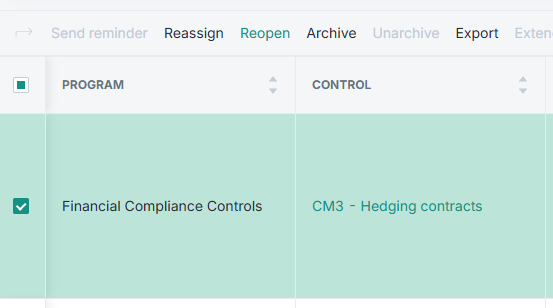
- Select “Reopen” in the top toolbar. This will open a pop-up where you can also add a comment for why you are reopening the control.
Learn more:
-
Do you need to access previous control results? Go to How can I access my previous control results?