
What is the Impero Assist Risk Insights summary?
Impero Assist helps you quickly understand how your risk landscape has changed over time by generating a summary of the Risk Insights view. It analyses the comparison between two selected dates and highlights:
- Overall changes in the risk map
- Key movements across risks and entities
- Where changes are concentrated
The summary is descriptive only and is based on the data shown in the Insights tab.
How do I use the feature?
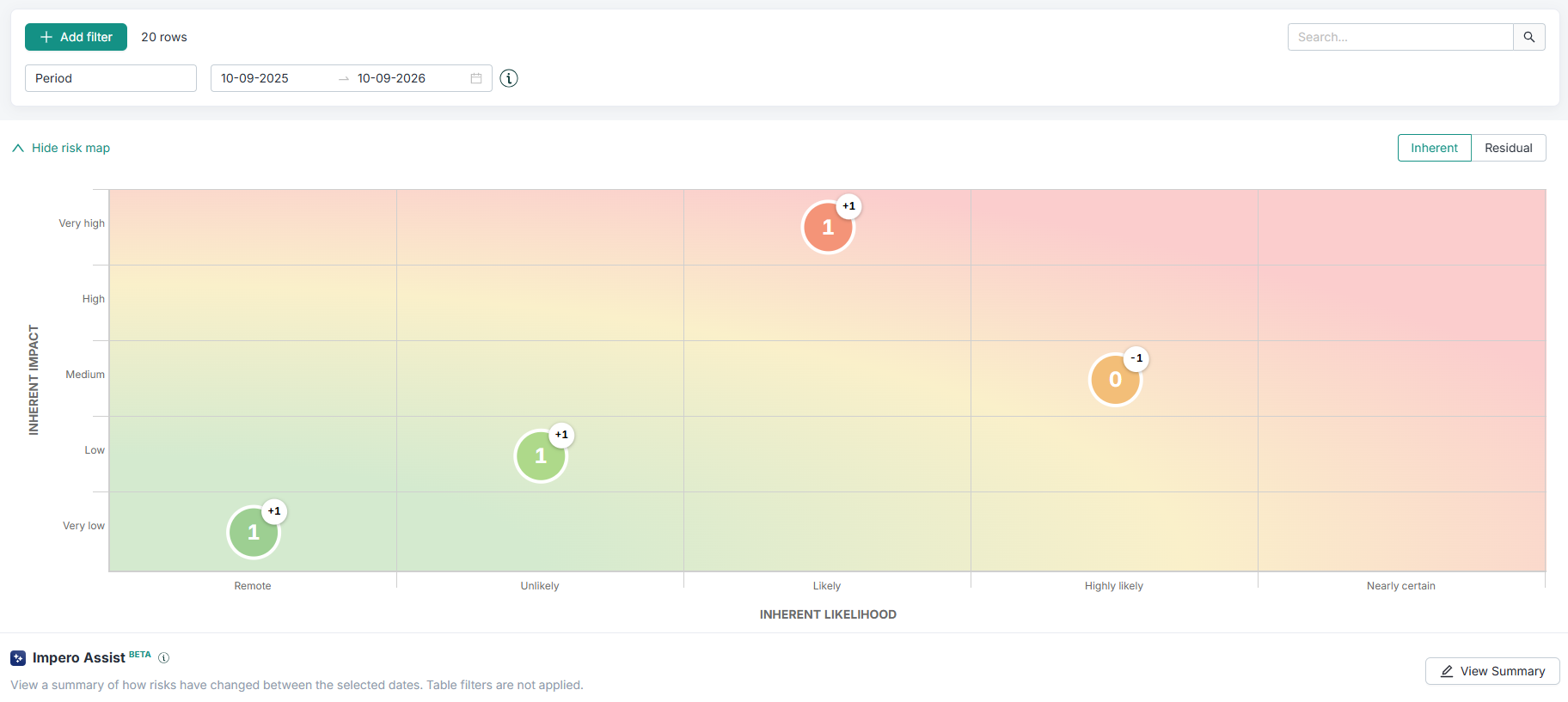
- Go to the Risk Map and open the Insights tab
- Select Inherent or Residual risk view
- Select two different dates in the date selector on top of the screen. The comparison will be between these two dates selected.
- Click the "View Summary"-button located on the right side. The system then generates a summary based on the visible data.
How does it work?
The summary is structured into three sections:
- Before — Analysis of the risk data at the start date.
- After — Analysis of the risk data at the end date.
- Comparison — Summary of major differences or trends between both dates.
You can collapse or expand the summary at any time. To generate a new summary, update the selected dates and click View insights again.
What information does Impero Assist use?
The summary is generated based on the data shown in the Insights view, including:
- The list of risks in each snapshot
- Risk evaluations such as likelihood and impact
- Entity-level breakdown of risks
- The selected comparison dates
Impero Assist does not use external data sources.
How do I get the most useful summary?
To get the clearest and most meaningful output:
- Compare meaningful time periods, such as quarter over quarter
- Ensure your risk data is complete and up to date before generating the summary
What do I do if something goes wrong?
If an error occurs, you will see an error message in the summary panel. Click Retry to generate the summary again.
Important considerations
- The summary is AI-generated and should be reviewed by users before drawing conclusions.
- It is descriptive only and does not provide recommendations or compliance advice.
- It reflects the currently selected view and date range.
- Output may vary slightly between runs on the same data.
Frequently asked questions
-
Does this replace risk analysis?
No. The summary is a support tool to help interpret data, not a replacement for risk analysis or expert judgement. -
Why does the summary sometimes feel generic?
The AI only uses the data available in the current view. Limited or unchanged data between the two selected dates may result in simpler summaries. -
Is my data used to train external models?
No. Your data is not used to train external AI models.