Entity Management
Organizations using Entity Management benefit from two improvements in this release wi th lots more to come in the next release.
Entity tags on activities
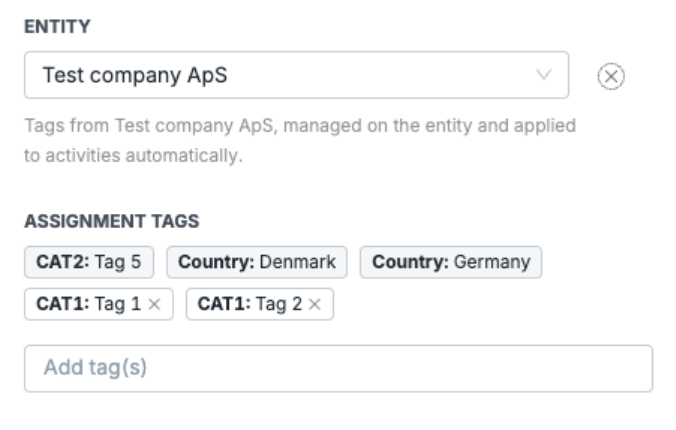
Controls can be assigned to specific entities, and those entities carry their own tag sets. Previously, only control and assignment tags were applied when an activity was emitted. Tags from the linked entity are now included automatically, giving activities a more complete and accurate tag profile without any manual work. Safeguards are in place to ensure that even if the same tags already exist on the control and on the entity, the activity itself will not get duplicated tags.
Impero Assist
Risk Insights
Understanding how your risk landscape has shifted over time can take time to piece together manually. This release includes an improved version of the Risk Insights AI summary, with more detailed data changes when summarizing the two selected dates.
The summary also handles multilingual risk map data more reliably, making it easier for organizations working across languages to get a clear overview from the Insights tab.
Edit selected text with AI
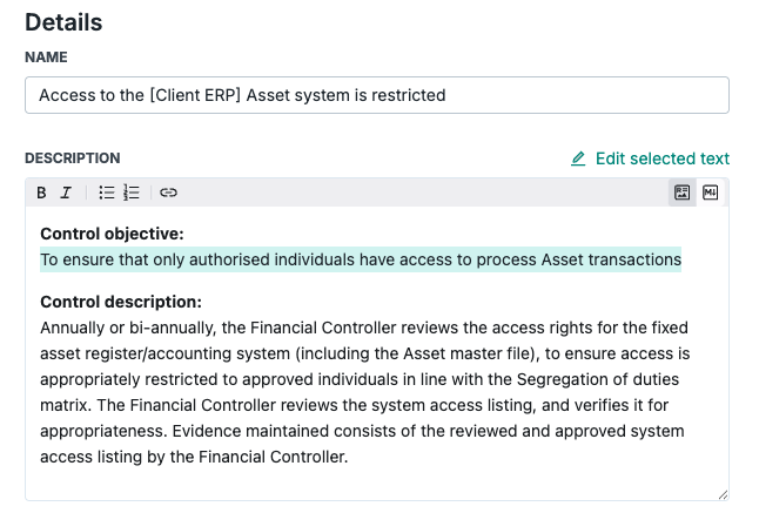
Impero Assist now supports editing selected text within a control description. Simply highlight the section you'd like to improve, review the preview in the AI drawer, and generate a targeted suggestion without affecting the rest of the description.
Multilingual task suggestions
AI-powered task suggestions now support controls written in multiple languages. Instead of relying on English-only input, Impero Assist can identify the appropriate task templates regardless of the language used in your control, making it easier to set up consistent controls across multilingual organizations.
Additional improvements
Archive control test activities
Managing a large volume of control test activities over time means completed or no-longer-relevant activities can accumulate and clutter the view. Users can now archive control test activities individually or in bulk, hiding them from the default view. Archived activities remain accessible through an Active/Archived filter and are read-only once archived.
Custom date range on dashboard
The dashboard date filter previously offered a fixed set of preset periods. Users can now define a custom start and end date, making it easier to evaluate performance across periods that do not align with a calendar preset.
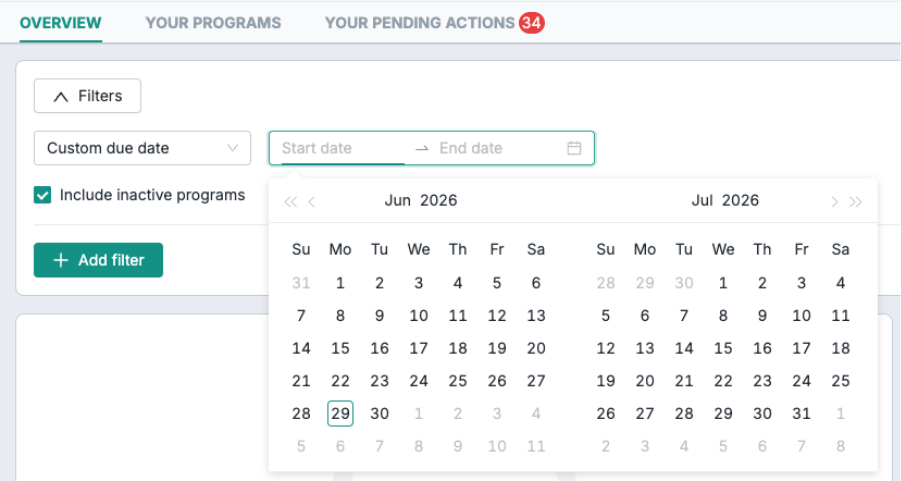
Table and filter enhancements
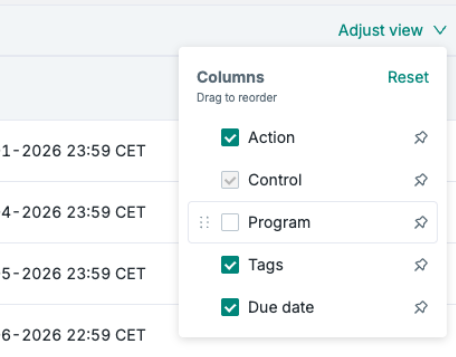
We are incrementally rolling out expanded table and filter capabilities across the platform, including improved column management, persistent filters, sorting and date range filtering. These enhancements are not yet available in all views and will be extended in upcoming releases.