
Adding entities are done in two steps. First you need to connect entities to a control program before they can be applied to controls.
Step 1: Connect entities to the control program
-
Go to your control management view to see your list of control programs.
-
Open the program you want to modify and go to its edit section, where you edit the title, description, and so on.
-
Scroll to the bottom to "Available entities in this program".
-
Click "+ Add entities" to see a list of all entities available.

- Tick off the entities you want to add and click "Add entities" in the top, right corner:
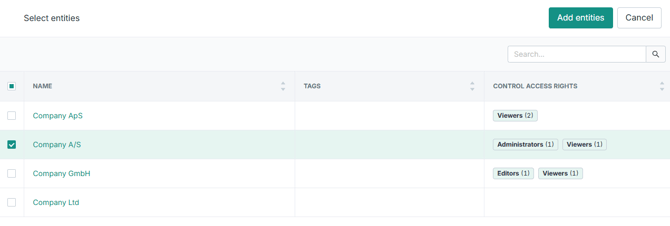
On its own, this first step doesn't change anything visible yet - it makes the next step possible by making those entities selectable on the program's controls.
Note: You need administrator access to edit control programs and attach entities. Entity Management must be enabled in your tenant.
Step 2: Assign controls per entity
When you open a control in a program that has Entity Management enabled, you'll see an Entity column alongside your usual assignment tags.

- Open a control within the program where you have just connected the entities.
- Go to the "Assign" section and add an assignment.
- In the assignment window, you go to "Entity" and select the entity which belongs to the certain user or user group and add the assignment.
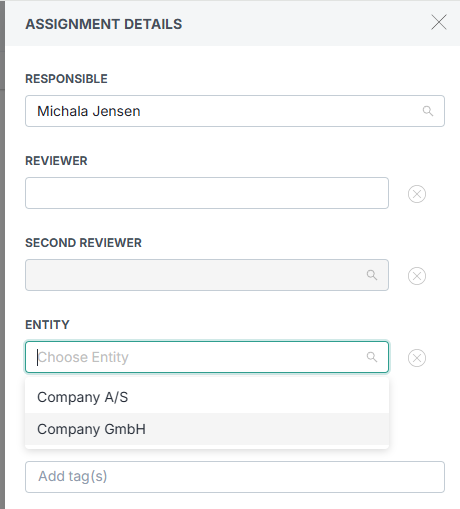
For each assignment you can set the entity it applies to (e.g. a local user as responsible/reviewer for Company 100). You can run the whole setup from a single control - one control, many entities, each with its own performer and reviewer.
Learn more: